Thursday, April 21, 2011

Debunking The "Your Vote Is Not Secret" Myth

In the General Elections to be held next month, your vote is secret. It means that no one will know who you vote for. For many years now, an urban legend has been going around that has created so much fear among eligible voters. The urban legend goes like this: if you vote for the Opposition parties, your life will be adversely affected, your voting pattern will be recorded and bad things will happen to you. If you're a civil servant or someone who works for the government,  you will be found out, and you'll lose your job. Yes, it's pretty scary.


This myth is so well known that my informal polling last week still shows a majority of right-thinking, intelligent, university-educated people actually believing it, even today in the YouTube-Facebook 21st century. They believe it in a way that seems to ask, 'You mean there's something else to believe?'


Now this is very unique among democratic countries in the world. While I understand that this sort of fear may be justifiable in rogue states where there is no rule of law, Singapore is far from being similar. However, the fear that people has of not voting for the incumbent People's Action Party is certainly real, even though the incumbent party has nothing to do with it.


Now, most Singaporeans understand how this fear of being 'caught' voting for the Opposition parties is based on. All voters are associated with serial numbers, and the numbers are associated with the voting slips. This is to prevent election fraud. Not perfect, but quite reasonable. After the votes are counted, the slips are sealed for 6 months at the Supreme Court. They are destroyed thereafter.


A person who believes in the urban legend will ask: so how is my vote secret? Can someone retrieve the serial number against my name, and match it to my vote? The Elections Department is candid about this. Technically, yes! But wait, there's more! This can only be done after a legal decision, say a protest is lodged due to some voting irregularities etc. In the history of voting in Singapore, no such 're-look into the ballot box' has taken place.


To me, that's an easy thing to believe. But for the skeptic/cynic, maybe they need more 'proof' that your vote is REALLY secret. Here we go...


Even IF we concede that someone can slip into the High Court vaults and retrieve your serial numbers among the other 2 million votes (which is itself such a ridiculous idea and really requires extraordinary proof), it's very easy to debunk the notion that there is a systematic system of finding out the voting patterns of INDIVIDUAL voters.


Reason Number One. The political cost of such an operation is just too high. This bears repeating: the downside to such an operation is JUST WAY TOO HIGH. How high? If it's really true that efforts have been made to undermine the secrecy of individual voting patterns using methods that are illegal, the integrity of the PAP will be totally shattered, leading to an almost complete distrust in government. No sensible person, from the PAP or otherwise, will want this to happen because the possibility of a leak is very real and it's not easy at all to keep this a secret, and because...


Reason Number Two. There is just not a lot of motive to dig up who voted for whom. Imagine you are an insurance agent who meets clients in the day. However at night, you're transformed into this top secret intelligent officer working in an unmarked office for a clandestine outfit remotely linked to the government whose main task is to... break in into the Supreme Court vaults, match serial numbers, and find out who Mr Peter Lim staying at postal code 123311 voted for in the 2011 General Elections. Since you're also a reasonable intelligence officer, you'll ask yourself, "What sort of job is this?! They want me to find out who XYZ voted for?! How trivial is this?!"


It is indeed very trivial (i.e., not very important). Maybe it's a little unusual in Singapore to vote for the Opposition, but in the rest of the world, this is very normal. Another angle to this is that it's actually not unheard of nowadays for people to vote for the Opposition. In the last General Elections 5 years ago, the Opposition got around 33% of the popular vote, which comes up to about 360,000 votes. Can we reasonably expect the Supreme Court vaults to be harassed so that some outfit can find out exactly who these 360,000 people are? Of course not! There is no intrinsic value to find out at the individual level who a person voted for. If we're talking about having a tip off regarding a potential terrorist, sure, let's have this stakeout and see who this person is. BUT FINDING OUT HOW THIS GUY VOTED IN THE GENERAL ELECTIONS? Not reasonable at all. Which brings me to...


Reason Number Three. A common understanding of this urban legend is that if you vote for the Opposition, you'll lose your job because it's the way they punish you. A convenient explanation, but totally way off. Let us assume that this is true, that the government wants to punish people who vote the wrong party. (HUH?!) OK, those of us who have punished people, whether it's your kids, or your students know there is a workflow in doing this. You want to punish someone because usually you want them to change their behaviour THE NEXT TIME. So you inform them of their crimes, beat them up, and say hopefully they don't do the same thing again. Simple, right?


Not so simple if you believe in the urban legend! Say I lose my job because I voted for the wrong party. I'll be like, "Huh?! Why did I lose my job?!" I couldn't possibly expect a letter from the authorities informing me that they've broken into the Supreme Court vaults, found my voting serial number, matched it to my voting slip, and discovered I voted for the wrong party. No, they can't send me this letter! You can see where I'm going with this right? I'd have NO IDEA why I lost my job! And in the next General Election, I'd STILL vote for the wrong party!!


Tell me honestly, if you were the planner of this 'expose the voters!' operation, is there any sense for you to carry on? Surely not, any reasonable person can see that. If you want to punish people, you NEED TO TELL THEM WHAT THEY DID WRONG! Couple that with Reason Number One, forget it, it just ain't gonna work!


Every political party in Singapore, including the PAP, and Opposition Parties, have time and again reminded people that their votes are secret. I remember Mr Lee Kuan Yew also urging people to believe this at one point. Democracy cannot work well in Singapore if voters purposely disenfranchise themselves! Sure, there may be ways to use other methods to prevent election fraud without the use of serial numbers. Even so, given the current setup, it is very unreasonable to believe the myth that your vote is not secret.


Your vote IS indeed secret. Don't let anyone convince you otherwise. Now go out and vote wisely next month. May the Force be with you.
Read More of This Content...

Saturday, April 2, 2011

Amazon MP3 Store in Singapore

For many years now I haven't been able to buy any music MP3s from the iTunes store in Singapore (does anyone have any updates? Has the situation changed?) This is another case of customers wanting to give money to companies but they just don't want to take it. Then customers need to try extra hard to make it possible!


Fortunately, everything changed this past week when Amazon launched their new Cloud Drive and Cloud Player for Web. The first major breakthrough is that I'm now able to buy MP3 in Singapore with a VPN. (I couldn't do this previously for some reason.) The second advance is of course the way Amazon has magically revolutionised content delivery when it should have been Apple who's supposed to be doing this. Cloud based music means you can play music anyway with an Internet connection. Buy once, play anywhere. Here's how to buy music in Singapore. Disclaimer: Your milleage may vary, buyer beware, your account could be terminated etc.


Preparatory steps

  • Buy a VPN. I'd suggest AlwaysVPN who has a very attractive one-off US$8.50 fee, it will last you for years.

  • Run the VPN. Go to the Amazon MP3 store and register for the Cloud Player service.

How to buy music from the Amazon MP3 store

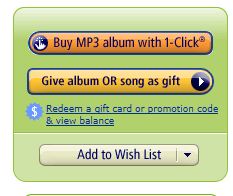
  •  I'm using the gift card method as I cannot test the alternative. This method means you buy a gift card, and then send it to your email address. You may use a local credit card. You'll then apply this gift card funds to your Amazon account.

  • Switch on the VPN and buy the music you want. 

  • If they ask you for a credit card, you can use your local credit card. For the billing address, use any US address. This will be quite okay as your credit card will not be actually used. Money will be deducted from the gift card funds instead.

  • Your music will show in your Cloud Drive. You may switch off your VPN (so that you don't waste it) and then use the MP3 Downloader application to download your music into your PC. You also don't need the VPN to listen to your music using the Cloud Player.

  • Here's a simplified walkthrough.


Buy your music!


You will be thanked!


You'll see the music you've bought in the Cloud. Play them anywhere with an Internet connection.


Naturally you may want to have a local copy of your music in your computer. The Downloader does this quickly and you'll see your music in iTunes or Windows Media Player.


Everything is seemless!


Happy listening! There're 15 million songs in Amazon's catalogue! Well done Amazon, this is the ideal way to sell music!
Read More of This Content...

Thursday, February 10, 2011

Kate Spade Kindle Cover

14 May 2001 Update: I've bought another Kindle and also another Kate Spade case. Scroll to the bottom.


-----------------------------------
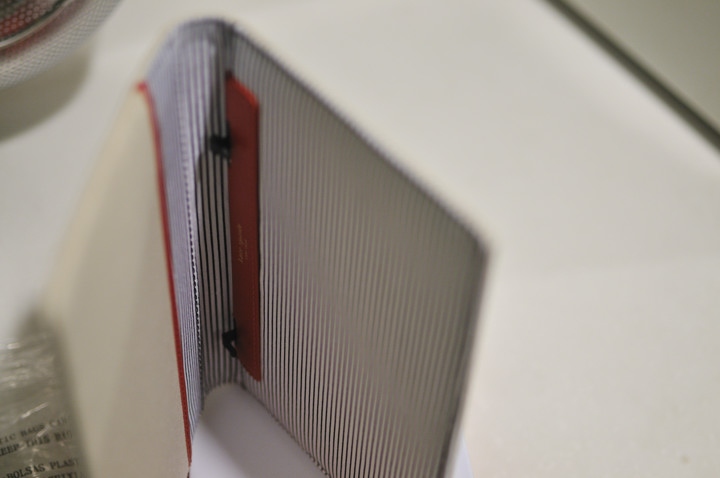
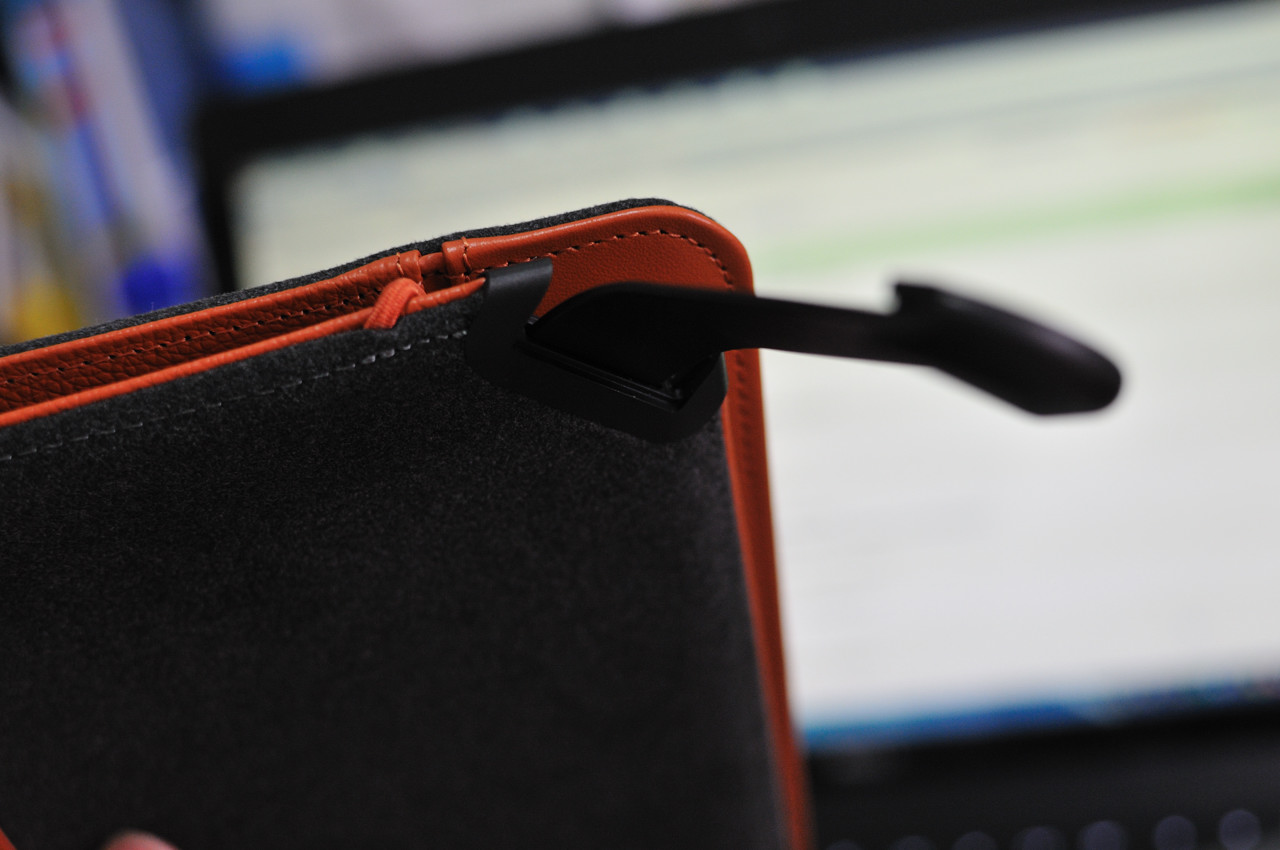
So after my lighted Amazon Kindle cover stopped working recently (see previous entry), Amazon refunded me the cost and I had the opportunity to shop for a new case. I don't know how to call this Kate Spade Kindle Cover... extremely cute? (click = big) It costs US$69.99.


The design has been inspired by the US$325 Kate Spade Book Clutch.  A fuller review can be found at Amazon.com . This case is a breath of fresh air... very whimsical!


14 May 2001 Update:  Here's the new Hello case and it looks gorgeous. Highly recommended!


Read More of This Content...

Tuesday, January 25, 2011

Amazing Amazon Service / Paying You To Stop Working


Recently, my Kindle Lighted Leather Cover's light stopped working. I wasn't sure what the reason was because there were no screws that I could tinker with. The case came with one year warranty so I knew Amazon could get it replaced for free. What I didn't expect was how well the process went.


Firstly, I had to call them, so I switched on Skype, went to Amazon's 'contact us' page, and called the US number. A lady answered and I told her about the problem. What's wonderful is that Amazon's tech support personnel are really out of this world. I've called them a few times and they are consistently nice to talk with. They are not in a hurry, they will listen to you, they will wait (and really wait patiently) for you to provide information.


Anyway I'd done my homework. I told her that I narrowed down the fault to the lighted cover because I'd tested the cover with another Kindle and the light still didn't work. There was a possibility that this other Kindle was faulty, but I reckoned it's pretty unlikely. It was more likely that the cover was at fault.


She listened to me, got the picture, and said she would refund me the cost of the cover. I was floored! No more interrogation? No more 'are you sure you didn't drop it on the floor only to have a car accidentally drive over it?' Didn't I need to send the faulty one back first? She said she would overnight a new cover over, but the colour I wanted was out of stock, so the next best thing would be to refund me the money so that I could buy whatever I wanted. I was told to return the faulty cover and was given an address label to print out and paste on the package. Brilliant!


The story didn't end there. I later realised that the return address label was meant for people in the US, and it had no address printed on it, only bar codes. The customer can just drop the package off at any post office and that's that. So I emailed Amazon about this 'problem', told them I was currently overseas, and could they give me another address label to use so that I could ship the faulty Kindle cover back to them.


A few hours later someone emailed me back.


Hello,


I'm sorry to hear about the problem you are experiencing with this return. In this case, please return the item to our return address below and write back to us with the return shipping charges and we will refund the same to the payment method used in your order. Please write the reason for your return on the packing slip, put the slip in the carton, and wrap the package securely. If you no longer have your packing slip, please write your order number on a slip of paper.


Send the package to:

     RETURNS CENTER - AMAZON.COM

     172 Trade Street

     Lexington, KY 40511

     USA


Please write back and let us know what you paid for return shipping so we may credit you the correct amount. Please visit the following link to provide the information we requested....


Wow! They are paying for my shipping! So this has been quite a pleasant surprise because even though I've heard of superlative service from Amazon, I haven't really had the need to use it before. I filled in the form stating how much it cost me to ship the lighted case back.


Update (30th January): I received an email from customer service.


Greetings from Amazon.com.


We're writing to let you know we processed your refund of $6.00 for your Order 104-6085509-7637041.


This refund is for the following item(s):


Item: Kindle Lighted Leather Cover, Burnt Orange (Fits 6" Display, Latest Generation Kindle)

Quantity: 1

ASIN: B003DZ167A

Reason for refund: Account adjustment


Here's the breakdown of your refund for this item:

Goodwill Refund: $6.00

We'll apply your refund to the following payment method(s):


Gift Card: $6.00


Refunds typically complete within 10 business days and appear as a credit on your statement.


The amount credited to your Gift Card balance should be automatically applied to your next eligible order on our website.


Have questions about our refund policy?

Visit our Help section for more information: http://www.amazon.com/refunds

We look forward to seeing you again soon.


Sincerely,


Amazon.com

We're Building Earth's Most Customer-Centric Company

http://www.amazon.com


As expected, everything went well!

***


A question I am curious about is: what on earth is going on?! How does this level of customer service come about? I don't know but I sure will like to. Maybe I'll talk about another company associated with Amazon called Zappos.


Zappos is an online shoe store that's also famous for its customer service; it was bought over by Amazon in 2009. Zappos' training programme for new employees is quite interesting. They want to make sure that every new hire shares their corporate culture, concern for the customer and so on.


Now one way to make sure that happens is to intentionally keep only the people who really want to work in the company. But how about the others? Those who are not so keen to do a good job? You may wish to fire them. Sometimes, though, people need some encouragement, so that's what Zappos management is doing.


In the middle of the training programme that all new employees have to go through, they are given the chance to back out. Some people may have always wanted to work there but after going through part of the initial training decide that Zappos is not for them after all. Here's the interesting bit: Zappos management will pay you to back out! To the tune of US$2000. Take the money and leave, no questions asked.


If we were to apply this to the teaching service in Singapore, it'd be similar to saying to a trainee teacher at NIE and saying, 'OK, here's the deal, you've had a taste of school life. After experiencing a bit of what a 'teacher' is REALLY like, we understand that you may feel teaching is not your thing. So we're giving you a chance to QUIT. In fact, if you back out now, there'll be NO penalties, and we'll PAY you $2000 as a goodwill gesture to compensate for the time you've spent with us. Think about it. We'll ask you again in a few weeks.'


I'm not sure if this will ever happen, but if it did, it'll be very impressive! The idea is to recognise that some people may change their minds, and that it's perfectly all right for them to do so simply because it's best for everyone. The other good thing is that only the truly interested people remain, the ones who don't wish to cash out and stay on.


Perhaps Amazon, after acquiring Zappos, have also taken a leaf out their hiring practice. I won't be too surprised if that's the case, given the ease that my Kindle cover was replaced. For the record, if MOE offers me $3000 today to quit, I won't do it. I think I quite like my job LOL!


Further reading:

Why Zappos Offers New Hires $2,000 to Quit

The policy of providing a let-out after one week has gained worldwide attention. Columnist Keith McFarland explains why it makes sense
Read More of This Content...

Friday, August 13, 2010

Planet-Gazing

When I heard the learn’d astronomer,

When the proofs, the figures, were ranged in columns before me,

When I was shown the charts and the diagrams, to add, divide, and measure them,

When I, sitting, heard the astronomer, where he lectured with much applause in the lecture-room,

How soon, unaccountable, I became tired and sick,

Till rising and gliding out, I wander’d off by myself,

In the mystical moist night-air, and from time to time,

Look’d up in perfect silence at the stars.


~Walt Whitman / Leaves of Grass / When I Heard The Learn'd Astronomer
One of the best things about the night sky is that anyone can look at it. While this is quite obvious, some feel that only professional astronomers are qualified to look upwards to the heavens. That's not very true. Anyone can do it, even if you don't understand the mechanics behind the whole enterprise.


The following is from my window on Thursday night. The lovely crescent moon (specially commissioned for National Day) lies just below the bright Venus. Nearby Saturn and Mars peek through the atmospheric impurities, almost invisible to the naked eye but discernible through a DSLR camera on a tripod.


click = big


I have a computer planetarium called Stallarium which I highly recommend. Here are some screen shots that show what the lights are on this night.


Read More of This Content...

Wednesday, August 4, 2010

Amazon Kindle 3 In Singapore


1) Updates

2) Preamble

3) How to buy a Kindle in Singapore

4) How to buy Kindle e-books in Singapore

5) Kindle pictures and shipment info

6) Calibre eBook management

7) PDF documents

8) Magazines

9) Usage in strong sunlight

10) Proof of residency email

11) Kindle 3 with Special Offers (NEW!)

12) Past newspaper mentions


Updated 13 November 2011: This post will no longer be updated. I'll continue the discussion at the new Kindle Touch entry.


Updated 28 September 2011: New Kindles! Starting US$79! This will really shake things up. I just preordered the Touch!


Updated 14 May 2011: I've just received the new Kindle with Special Offers. It's only USD$114; pictures below. I've also got a second Kate Spade Kindle case to go along with it.


Updated 24 February 2011: New Kindle advertisement, "The Book Lives On."


Updated 25 January 2011: My Kindle lighted cover has stopped working. Click here to read the refund story.

Updated 19 January 2011: Digital Life has a cover story on e-readers and the Kindle. There's just one thing. Hotspot Shield VPN is mentioned but I don't recommend it for the time being. (click = big)


Updated 17 September  2010: I'm getting reports from folks who are having problems with the Hotspot Shield VPN; it's not working for some reason. Do consider an alternate VPN. Amended buying procedure.


Updated 6 September: I received my Kindle 3! Updated price and took some new pictures with comments.


-------------------------------------------------------------------------

The book is one of the most ingenious inventions of all time. However, the book wasn't something that was created in one day. It has evolved continually starting with papyrus in Egypt then to Chinese scrolls then to movable type with the Gutenberg press. And it's now digitalised in the form of portable reading devices that allow you to read e-books. The best selling reading device now is the Amazon Kindle.


Amazon CEO Jeff Bezos just announced that sales of Kindle e-books have overtaken hardcover sales, and will overtake sales of paperbacks in 12 months. I just find that really astonishing. It's one of those things that you've heard about: things happen so fast in Internet time, and we're right in the middle of this revolution.


The next iteration of the Kindle is the new Third Generation device which is now USD139. (I bought the Kindle 2 for USD359 in May last year. What a price drop!) I've just pre-ordered the WiFi-only Kindle 3 after it's first shipment was sold out even before the product is released at the end of this month. I am now queuing in the second wave and will update this post when that happens.


Here are some reasons I've chosen the Kindle 3 instead of other reading devices:

Best online shopping company in the world: Even before the arrival of the Kindle, I've always bought books from Amazon. They are always reliable, have a great selection and website with lots of customer reviews.


Excellent support: Amazon's customer service support is legendary in the industry. I've called them a few times myself and have consistently received the highest level of service. It offers 30-day money back and price drop guarantee and I believe e-books are returnable too.


Best reading device: The Kindle is meant to 'disappear', a design philosophy that is very rarely adopted by product designers and suggests a sublime understanding of how it should be made and positioned. The user interface is intuitive and easy to use. The latest generation has eInk that improves contrast by 50%; very close to real paper, so they say. It's also probably the most user-friendly e-Ink reader.


Largest selection of books: The Kindle store doesn't claim to have every book there is, but my impression is that it does have the largest selection. I recently bought The HP Phenomenon and it could only be found in the Kindle store.


Best Laugh: One of the main reasons why Amazon is my top choice is due to CEO Jeff Bezos. (Just like how Steve Jobs is god to the fanbois lol) Jeff has one of the heartiest laughs I've ever heard. Most reports also suggest that's one of the most down to earth billionaires ever. I am happy to do business with folks like him.


In the meantime, if you're interested to see what the fuss is about, Bezos has a wonderful interview with Charlie Rose and it's really worth a look to see what makes Amazon tick and where the book market is going in the near future. The full 40-minute interview is here.


How to buy a Kindle in Singapore

Here are the steps I use. Do note that Amazon doesn't officially support Kindles in Singapore. There are instances where buyers were found to be not from 'authorised countries' and their accounts were disabled. Your mileage may vary. Caveat Emptor. Other than that, things have worked really well for many local Kindle users.


  • Create an Amazon account if you don't already have one.

  • Go to the Kindle page and buy yourself a Kindle. It will be automatically linked to your Amazon account. I prefer the WiFi-only version rather than the 3G+WiFi version. The added 3G isn't really necessary because worldwide surfing isn't guaranteed. Also, additional costs will be incurred for the transfer of documents if 3G (AT&T roaming) is used when there is no WiFi.

  • Ship it to a third party mail forwarder. I use Borderlinx who will then ship it to Singapore. Comgateway seems fine too though I've not tried them myself.

  • When you get your Kindle, you need to register it if it hasn't already been registered. After connecting to wifi at home>settings, register it by filling in your Amazon username and password at home>settings>register.


Some preparatory steps to take before buying books from the Amazon US store


  • Firstly, do NOT buy books using your Kindle's Whispernet/3G/WiFi. Don't buy from Kindle apps too.

  • You need to buy books using your Internet browser on your computer with a VPN installed. Use a VPN such as AlwaysVPN to make yourself situated in the US, in spirit. You may turn it off later when you're done purchasing. I can share my AlwaysVPN account with local Kindle users. Do not use Hotspot Shield; it's known not to work sometimes.

  • Exit your Internet browser.

  • Switch on your VPN. Open your browser.

  • Go to Manage your Kindle at the Kindle product page.

  • Go to 'your country'. Change your country to US if it's showing another country. Use any US address.

  • Buy a gift card with your local credit card, say USD50. Email the gift card to your email address. When you re/ceive it in the mail, apply the gift amount to your Amazon account. 

  • Go to your account, 'manage payment options', and erase your credit card info if you have any credit cards associated with Amazon.com . (Do this also whenever you buy something at Amazon using your local credit card.)


How to buy e-books from the Amazon US store


  • Again, do NOT buy e-books (even if the books are free) using the Kindle's Whispernet/3G/WiFi.

  • Ensure that you have sufficient funds in your account. If not, buy more gift cards and apply them to your account.

  • Exit your Internet browser

  • Switch on your VPN, open your Internet browser and go Amazon. Find your book and click 'buy now with 1-click', 'deliver to your Kindle'. If you choose
    to wirelessly send it to your Kindle, you should receive the book in
    less than a minute. You can also choose to download the file and
    transfer it to your Kindle using USB. If asked for the billing address,
    use any US address. Not that this address will not be used because funds
    will originate from your gift card balance.

  • Switch off the VPN


6 September update: I've received my Wi-Fi Kindle 3! The cost is USD139 (Kindle 3 WiFi) + USD60 (Kindle Lighted Leather Cover) + SGD 24 (Borderlinx shipping) = around SGD 300. The screen is just totally unbelievable; I can't see the difference between a printed page and the new E-Ink Pearl screen. More pictures below with additional comments. (click = big)


Free Amazon shipping (5-9 days). The shipment arrived at Borderlinx in 4 days, way sooner than Amazon's conservative figure.


  The fee charged by Borderlinx was SGD23.42. There were no additional GST, import fees etc. DHL's tracking system is GOOD!


This is quite interesting. First time users of E-Ink will try to peel the instructions sticker from the screen. Problem is: it's not a sticker; it's the screen!


The Kindle Lighted Burnt Orange Leather Cover is a thing of beauty; very well constructed and the light is just fantastic! The price (USD59) is also...uh... quite fantastic!


 The browser is fast. Obviously it's meant for casual browsing but it does work quite well.


A comparison  between Kindle 2 and 3. There is no contest: the black of the K3 is really much blacker.


11 September 2010 update

Having used the new Kindle 3 for a few days, I must say that it's wonderful device. Because my first Kindle was a Kindle 2 with no wireless (it's a CDMA device for the US market), the addition of WiFi is making a huge difference.


Firstly, I only need to use the VPN to buy books and the book get transferred wirelessly to the device. Also, if you looking for the 'classics' and wish to use sites like Gutenberg, you don't even need to go to the Amazon store. Just use the browser and directly download the .mobi file into the Kindle and immediately read it on your device.


A reader commented on the use of Calibre which allows you to manage your ebooks and to convert them to the Kindle format. The increase in functionality when one pairs up the Kindle with Calibre is astonishing. Calibre (a bit like the old Palm Avantgo) allows you to push rss feeds into the Kindle magazine format and this can be done wirelessly. It works really well!


23 September 2010 update

A reader sent me two PDF documents for me to try out. My impression of the Kindle reading was that yes, it's technically possible to read PDFs, but in reality, due to the size of the screen, it's not very feasible. After my investigation today, I've come to a rather surprising conclusion.


The screen of the Kindle 3 is so much better than the Kindle 2 that even the tiny words show up very well. Reading PDFs is very possible now! All pictures, click=big. The words are a little fuzzy as I wasn't using a tripod when I took these pictures and the lighting wasn't so good. While standard 'text pages' like these look good, magazine pdfs may not because the pages are bigger. YMMV.


At the bottom of this page, there are some 'missing words' which will appear when we magnify the screen or rotate the screen to landscape mode. 


Here we see that the dictionary works on an unconverted PDF document. 


Here is annotation in action. Highlight the words, then add your own comment.


28 September 2010update

I've managed to buy a magazine sold at the Kindle store just to test it out. The New Yorker costs USD3 a month so it's quite all right. I believe we cannot use gift cards to buy magazines so a workaround is to use yet another (!) credit card called Entropay. This is a 'virtual prepaid' credit card and the commission fee to 'load money' into it is 5%.


If you're not keen on paying for magazines, an alternative is to use Calibre and download magazines/news websites. So far I'm able to download Reader's Digest for free. Anything that is available for free on the Internet can technically be downloaded as an ebook using Calibre. It's very powerful.


3 October 2010 update

Here are more pictures of the Kindle in strong sunlight (click = big). There used to be a 'page-turn lag' issue but it has largely been resolved with the 3.0.2 software update.


 The content here are downloaded using Calibre which is pretty versatile in using RSS feeds and turning the content into 'magazine format'.


 Scrabble is a new Kindle game that is a joy to play.


This is Nikon PDF directly loaded onto the Kindle without modification.


1 December 2010 update

Some readers have asked for advice on how to proceed if they bought ebooks without using a VPN and are asked by Amazon to provide proof of residency. You can ignore the email. Going forward, you need to use a VPN and then go to www.amazon.com/manageyourkindle to change your country to US. Please use a VPN when buying anything, free or otherwise, at the Kindle Store. If you don't have one, email me, I can share mine with you.


14 May 2001 update:

Amazon has released a cheaper version of the Kindle 3 with Special Offers. It now comes with advertisements. The good thing is that the ads are completely unobtrusive. The screensavers (example below) are also ads now, and they are interesting because they keep changing! It's the Kindle I'd recommend now.


On the main index screen, some space is used for the advertisments. This replaces the space used by 1 book listing.


If you want to see the advertisement, you'll be brought to another page.


--------------------------

Previous related entries: Kindle 2 in Singapore (historical information on how to get the Kindle 2 here)


Unitasking and the Kindle (the concept that's opposite to multitasking, and mentions of Kindle in the local press)


Digital Life article:


Read More of This Content...